What Is a Video Podcast, and Why Does It Matter?
A video podcast is not a different kind of show. It is the same show, recorded in a way that gives you five more places to publish it.
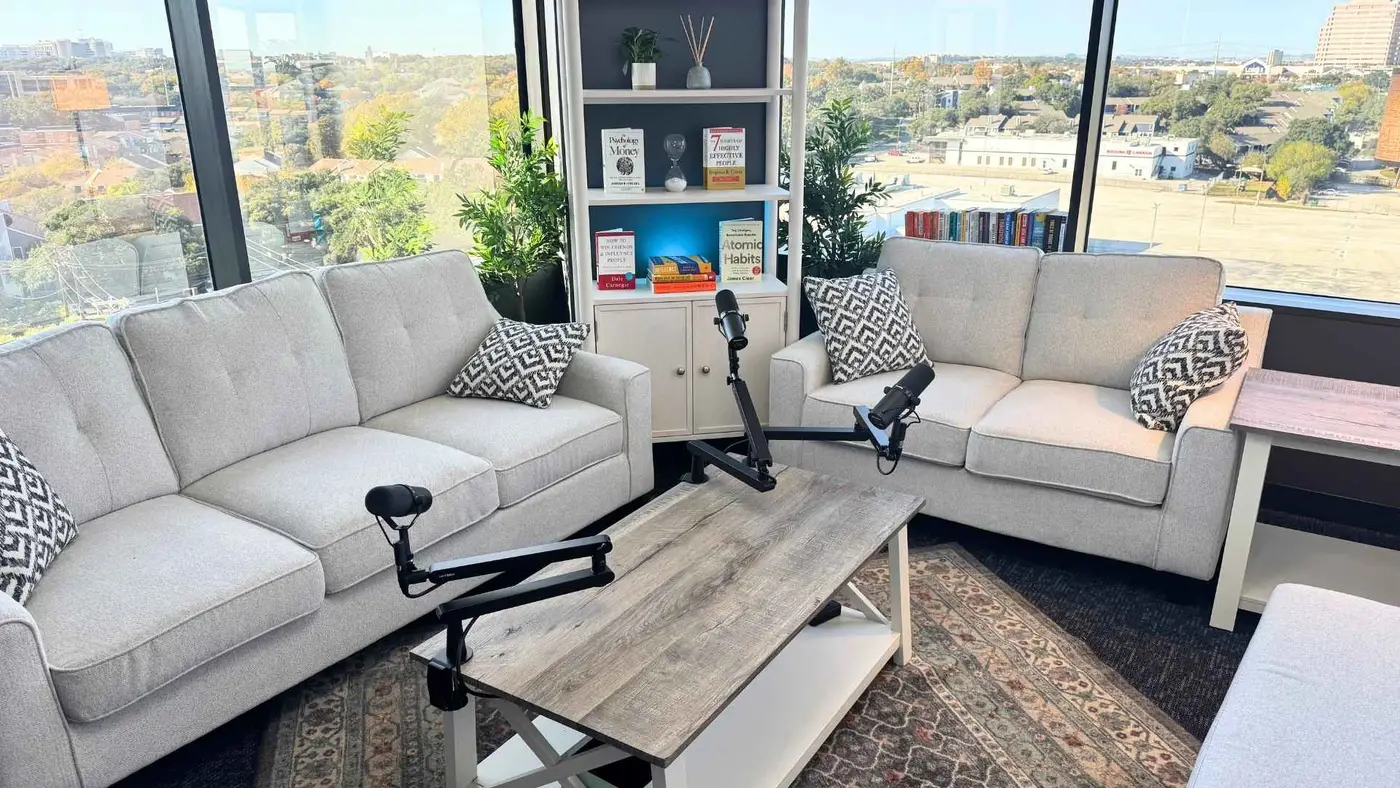
What exactly is a video podcast?
It is a podcast recorded with cameras running, so the same conversation exists as both a video and an audio file. The audio version still goes to Spotify and Apple Podcasts exactly as before; the video version goes to YouTube and becomes the source for short clips.
It is not a different format and it does not require a different presenting style. The conversation is the same. What changes is how many surfaces it can be published on afterward.
The practical framing: video is a capture decision, not a content decision. You are recording the same episode and simply keeping more of it.
Why does video matter so much for discovery?
Because YouTube is a search engine, and podcast directories are not. People type questions into YouTube and get answers. Nobody browses Apple Podcasts hoping to discover a business show they have never heard of.
That difference is decisive for a local business. An episode answering a question your buyers ask can surface in YouTube search for years, whereas the identical audio in a directory is only found by people who already know your show exists.
Video also feeds the short-form platforms where discovery actually happens now. A vertical clip on Instagram or TikTok can reach someone who has never heard of you, which an audio file structurally cannot.
| Surface | Needs video? | Function |
|---|---|---|
| Spotify / Apple Podcasts | No | Serves people who already follow you |
| YouTube | Yes | Search engine — real discovery |
| Instagram / TikTok Reels | Yes | Discovery through short clips |
| Yes | B2B discovery and credibility | |
| Your own website | Helpful | The page search and AI can read |
Do San Antonio businesses actually need video?
If the podcast exists to win clients, then yes — because seeing you is a large part of the persuasion. A prospect who watches you explain your work for ten minutes has effectively had a first meeting before they ever call.
For local service businesses this matters more than for national brands. Buyers are choosing a person as much as a company, and video is the only format that lets them assess the person before making contact.
There is also a simple asymmetry that settles the question: you can always strip audio out of video, but you can never recover video you did not record. The cost of capturing it is low; the cost of not having it is permanent.
What does a video podcast setup require?
At minimum, one camera at eye level, one soft light, and audio recorded separately from a dedicated microphone. That produces genuinely publishable video and is achievable with modest equipment.
Multiple angles are the next step up, and they matter more than resolution. Cutting between a wide and a close-up keeps a talking-head episode visually alive, which is what keeps people watching a long clip.
The background is part of the setup and is usually the weakest link in a home shoot. A space that looks intentional does a surprising amount of work for how the business is perceived.
How do you get short-form clips out of an episode?
Plan for them while recording. Before the session, write down six questions you want answered cleanly, and answer each one as a complete thought that would make sense to someone with no context. Those become your clips.
A one-hour episode planned this way typically yields six to twelve usable clips of 30 to 90 seconds. The same hour recorded as an unstructured conversation might yield two, because most of it depends on what came before.
Every clip needs burned-in captions, since most social video is watched muted. Vertical framing helps too — either by shooting a dedicated vertical angle or by composing the horizontal frame with a centre crop in mind.
What does this cost compared to audio-only?
At the recording stage, very little extra — the cameras are either in the room or they are not. In a studio already rigged for video, capturing it adds nothing to the session.
The added cost is in post-production: editing multiple angles, colour, and producing the clips. That is real work, but it is also where the return comes from, since clips and YouTube are what produce discovery.
At Podcast Studio San Antonio the rooms run Sony Alpha 6400 cameras for 4K video alongside Shure SM7B microphones and a RODECaster Pro II, with post-production and repurposing handled as part of the work rather than left to the host.
How should you set up the room for video?
Think about depth first. Get meaningful distance between yourself and whatever is behind you — a few feet is enough to create separation and stop the background competing with your face.
Make the background intentional. It does not need to be elaborate, but it should look chosen: a clean wall with one considered element, acoustic panels that read as a studio, or a shelf arranged rather than accumulated. Viewers read the background as a statement about the business.
Then handle lighting: one large soft key slightly off-axis, something lifting the shadow side, and ideally a little separation light on the background. Overhead room lighting is the single most common reason video looks unplanned.
Finally, check the frame at eye level. Camera height below eye level is unflattering and instantly recognisable, and it is the easiest thing on this list to fix.
How many camera angles do you actually need?
Two is the practical minimum for anything longer than about ten minutes. A single locked-off angle becomes visually static quickly, and cutting between two angles is what keeps a talking-head episode watchable.
Three is the comfortable number for a conversation: a wide two-shot plus a close-up on each speaker. That gives an editor enough coverage to cut around mistakes without visible jumps.
Beyond three, returns diminish fast for podcast content. Extra angles add editing time and storage without adding much to the viewer's experience.
A dedicated vertical angle is often more valuable than a fourth horizontal one, because it makes your short-form clips natively vertical rather than cropped.
| Angles | Works for | Trade-off |
|---|---|---|
| 1 | Short solo episodes | Visually static past ~10 min |
| 2 | Solo or simple interview | The practical minimum |
| 3 | Conversations and panels | The comfortable standard |
| 3 + vertical | Shows built on social clips | Native vertical, no cropping |
What should you do with the video after recording?
Publish the full episode to YouTube with a descriptive, question-shaped title and chapter markers. YouTube functions as a search engine, so the title is doing discovery work rather than branding work.
Cut the clips while the episode is fresh and the transcript is marked. Six to twelve per episode is a realistic target if you planned the questions for it, and each one needs burned-in captions.
Then build the episode page on your own site: the video embedded, a summary at the top, and the full transcript below. That page is the version search engines index and AI assistants quote, and it is the only one you fully control.
Strip the audio for the podcast apps last. It is the easiest step and it is the one most people build their whole workflow around, which is backwards.
Does video change how you should present?
Only slightly. The most common overcorrection is performing — becoming louder and more animated because a camera is present, which reads as inauthentic and is more tiring to watch than a normal conversation.
What genuinely changes is that pauses become visible. In audio a two-second silence is invisible; on camera the viewer watches you think. That is usually fine and often good, but it makes visible fidgeting more noticeable than it would be on audio.
Look at your conversation partner during interviews and at the camera when addressing the audience directly. Getting that distinction right is most of what separates comfortable video presence from awkward video presence.
What does video podcast production actually involve?
At the recording stage, almost nothing extra. If the room is rigged for video, the cameras are already framed and rolling, and the session takes the same hour it would have taken for audio alone.
The work is in post. Multi-angle footage has to be synced and cut, colour has to be matched between cameras, and the audio still needs the same treatment it would have needed anyway. This is the genuine added cost of video.
Then the repurposing, which is where video pays for itself. Clips only exist because video exists, and clips are what produce discovery on the platforms where people are actually scrolling.
The practical implication for budgeting: video roughly increases post-production effort, and roughly multiplies the number of publishable assets from each session. For most local businesses that trade is clearly worth making.
Frequently Asked Questions
Can I turn my existing audio podcast into a video podcast?
Not retroactively — the video does not exist. You can add video from the next episode forward, and many shows do exactly that. Static waveform videos are sometimes used for back catalogue, but they do not perform like real video.
Do I need to look at the camera the whole time?
No. In interviews, looking at the person you are speaking with is natural and correct. Look at the camera when addressing the audience directly — typically the opening, the closing, and any direct call to action.
Does video podcasting take longer to record?
Barely. In a room already set up for video, recording takes about the same time. The additional effort is in post-production, not in the session itself.
What resolution should I record in?
4K is the sensible default. It gives you room to crop for vertical clips and to reframe in the edit without losing quality, even if you publish at 1080p.
Is YouTube or Spotify more important for video podcasts?
YouTube, for discovery. Spotify serves people who already follow you; YouTube surfaces episodes to people searching for the topic. For a business podcast trying to reach new prospects, that distinction matters enormously.
Do I need a green screen?
No, and it usually hurts. Green screens require careful, even lighting to key cleanly and produce visible edge artefacts when they are not perfect. A real, well-lit background almost always looks better for podcast video.
How do I add chapters to a video podcast?
List timestamps with descriptions in the YouTube description, starting at 0:00. YouTube generates the chapter markers automatically, and viewers use them heavily to jump to the part that answers their question.
Should the podcast video and audio versions be identical?
Broadly yes, though the audio version can trim moments that only make sense visually. Keeping them substantially the same avoids maintaining two separate edits, which is a workload most shows cannot sustain.
Can I publish video for some episodes and not others?
Yes, and many shows do — video for interviews and flagship episodes, audio-only for quick solo ones. Just record video whenever it is available, since you can always choose not to publish it.
Does video podcasting require a bigger team?
Not at the recording stage. It requires more post-production capacity, which is a scoping question rather than a headcount one for most local businesses working with a production partner.
You bring the conversation. We handle everything after.
A room at I-10 and 410 with the gear already bought, already set, already rolling — Shure SM7B microphones into a RØDEcaster Pro II, Sony Alpha 6400 4K cameras, a professional teleprompter, and acoustic treatment that is already done arguing with your voice.
Then the part most shows never get to. The edit, the clips, the written page, the scheduling — handled, so an hour in the studio turns into a month of content instead of a file sitting on a drive.
— Podcast Studio San Antonio, I-10 & 410